Introduction
Organic traffic from SEO is only valuable when it converts. Driving thousands of visitors to your website means nothing if they abandon before filling out a contact form, making a purchase, or booking a consultation. GA4 Funnel Analysis is the analytical discipline that bridges this gap — revealing exactly which steps in your conversion journey are leaking revenue.
With the full migration from Universal Analytics to Google Analytics 4, businesses now have access to far more powerful and flexible funnel exploration tools. This guide shows you how to use them to maximise the value of your organic search investment.
How does GA4 funnel analysis help SEO? By revealing where organic visitors drop off before converting, GA4 funnel analysis shows you which landing pages, CTAs, or checkout steps to optimise — turning more of your existing SEO traffic into clients without spending more on acquisition.
What Is a GA4 Funnel Exploration?
A Funnel Exploration in GA4 is a custom report within the Explore section that maps a sequence of user actions (events or page views) and visualises the percentage of users who complete each step versus those who abandon. Unlike the rigid, pre-defined goal funnels in Universal Analytics, GA4 funnels are fully flexible:
- Open funnels: Users can enter the funnel at any step, not just the first.
- Closed funnels: Users must enter at step one and progress in sequence.
- Event-based steps: Any GA4 event (scroll, click, form_submit, purchase) can be a funnel step.
- Segment comparisons: Compare conversion rates for organic vs paid vs direct traffic side by side.
Setting Up Your First Funnel Report
Open GA4 → Explore → Funnel Exploration
Navigate to your GA4 property, click Explore in the left sidebar, then select Funnel Exploration from the template gallery. This opens the exploration canvas.
Define Your Conversion Funnel Steps
Click the pencil icon next to "Steps" and add each stage. For a service business, a typical funnel is: Landing Page Viewed → Services Page Viewed → Contact Page Viewed → form_submit Event Triggered.
Set Date Range & Apply Breakdown
Set a 90-day date range for statistically significant data. Add a "Session medium" breakdown dimension to immediately see conversion rates split by organic, paid, referral, and direct channels.
Enable Elapsed Time & Next Action
Toggle "Show elapsed time" to see how long users spend between steps. Enable "Next action" to discover what users who abandon a step do instead — critical context for CRO decisions.
Filtering for Organic Search Traffic
To isolate behaviour specifically from SEO visitors, apply a User Segment filter:
- In the Variables panel, click + next to Segments
- Select Create new segment → Session segment
- Add condition:
Session source/mediumcontainsgoogle / organic - Name the segment "Organic Search Sessions" and save
- Drag this segment into the Segment Comparisons area
Your funnel now displays conversion rates specifically for organic search visitors, allowing direct comparison against paid or direct traffic benchmarks.
Interpreting Drop-Off Data
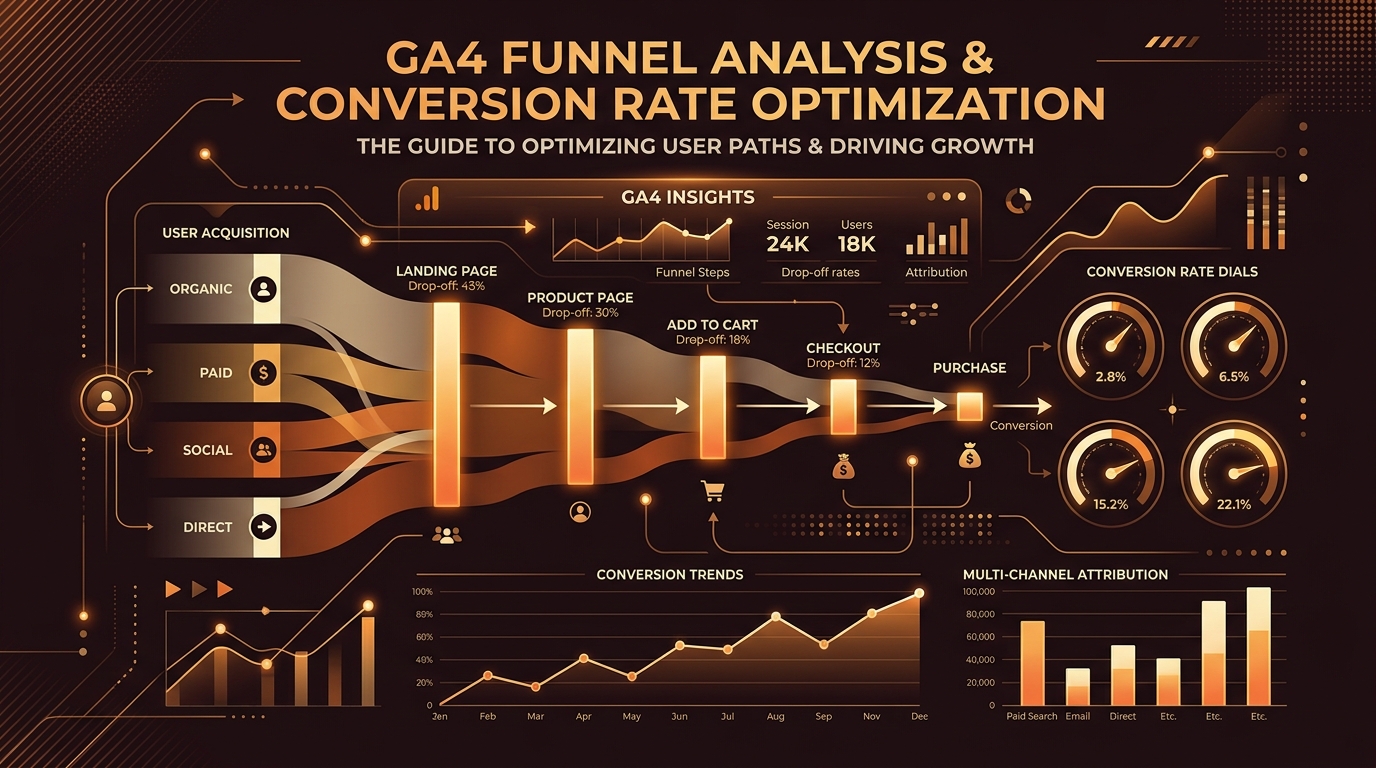
The funnel visualisation shows the number and percentage of users completing each step. Focus your analysis on the steps with the largest absolute drop-offs, as these represent the greatest conversion improvement opportunity:
Users land on a page and immediately leave — indicates a mismatch between search intent and page content, slow page speed, or poor above-fold design.
Users explore content but don't progress to the contact page — indicates pricing friction, insufficient trust signals, or unclear next steps.
Users reach the contact page but don't submit the form — long form fields, lack of trust, or no clarity on what happens after submission.
Optimisation Actions by Funnel Stage
Once you have identified the weakest stage in your organic conversion funnel, apply targeted CRO interventions:
Top-of-Funnel (Awareness Stage)
- Improve page load speed and LCP score
- Tighten the alignment between meta title, H1, and content angle
- Add a Quick Answer box near the top of the page
Mid-Funnel (Consideration Stage)
- Add case studies, portfolio samples, or client results
- Include FAQ sections targeting objection-based queries
- Implement exit-intent internal linking to related service pages
Bottom-of-Funnel (Decision Stage)
- Simplify contact forms — name, email, and message only
- Offer multiple contact options (form, WhatsApp, phone, email)
- Add a post-submission confirmation message explaining next steps
Combine Funnel Explorations with GA4 Cohort Analysis to see whether users who initially arrived from organic search convert within 7, 14, or 30 days. Many high-intent B2B buyers require multiple touchpoints over weeks before converting — cohort data reveals this multi-session journey.
Frequently Asked Questions
A funnel exploration in GA4 is a custom report within the Explore section that visualises the sequential steps users take through your website — from landing page to conversion event. It shows completion and abandonment rates at each step, identifying exactly where your conversion process is breaking down.
In GA4 Explorations, create a Session Segment with the condition "Session source/medium contains google / organic" and apply it as a segment comparison. This isolates funnel behaviour exclusively for users arriving from organic search results.
Universal Analytics used rigid, pre-configured goal funnels with mandatory sequential steps. GA4 Funnel Explorations are fully flexible — supporting open or closed funnels, any event as a step, date comparisons, and multi-segment overlays — providing significantly deeper and more actionable conversion intelligence.
As a general rule, you need at least 100–200 users entering each funnel step to draw statistically significant conclusions. For low-traffic websites, extend the date range to 90 or 180 days to accumulate sufficient data before making optimisation decisions.
Conclusion
GA4 Funnel Analysis transforms your SEO investment from a traffic metric into a revenue measurement system. By understanding precisely where organic visitors drop off — and why — you can make targeted optimisations that convert more of your existing traffic without increasing your search marketing spend.
Set up your first funnel exploration today, segment by organic search, and identify the single biggest conversion opportunity in your current marketing funnel. Even a 10% improvement in conversion rate doubles the revenue value of every organic visitor already arriving on your site.